Payroll Updates, Klarna, Number Nicknames, Custom Frequencies and More
We’ve made SEVEN major updates to Rotor designed to give your customers more ways to pay and get help, and to give your team more control over scheduling, automations and payroll.
Klarna Payments
Customers can now split an invoice into Klarna installments at checkout. Klarna appears alongside Card and Google Pay in the client portal, and eligible invoices can be paid in 4 interest-free installments every 2 weeks.
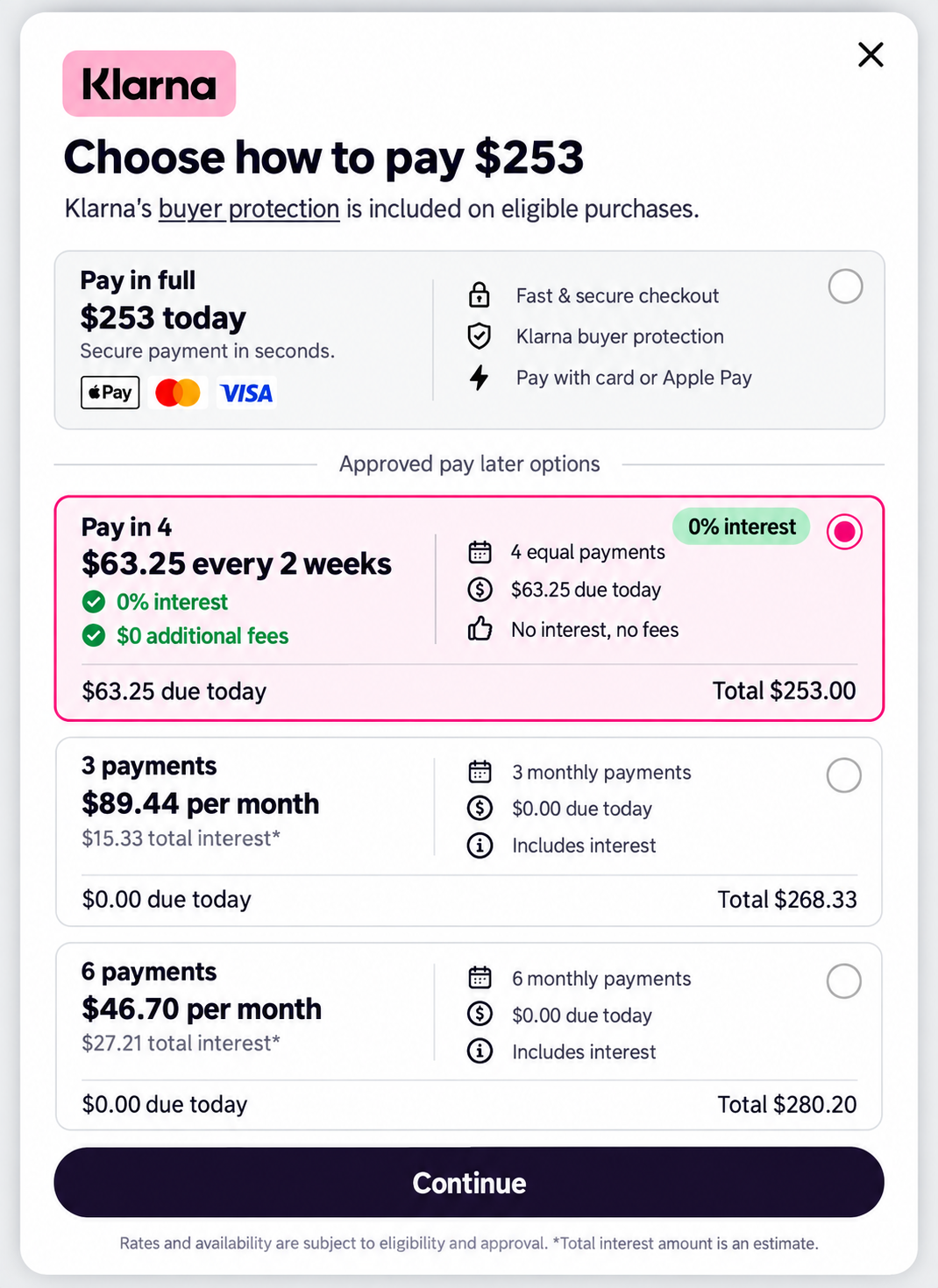

What this gives you:
Another payment option at checkout for larger invoices
Customers pay over time while you are paid up front
Available across the client portal, web and mobile apps
To turn it on: go to Settings → Client Portal, enable Accept Klarna Payments, then scroll to the bottom of the page and press Save. The toggle will not take effect until you save.
Learn more about Klarna: https://helpcenter.getrotor.com/en/help/articles/2258913-klarna-payments
Support Ticket Portal
Support tickets now have their own page in the portal on web. If you would rather not go through the chat bot, you can go straight to the Tickets tab and submit one with New Ticket.
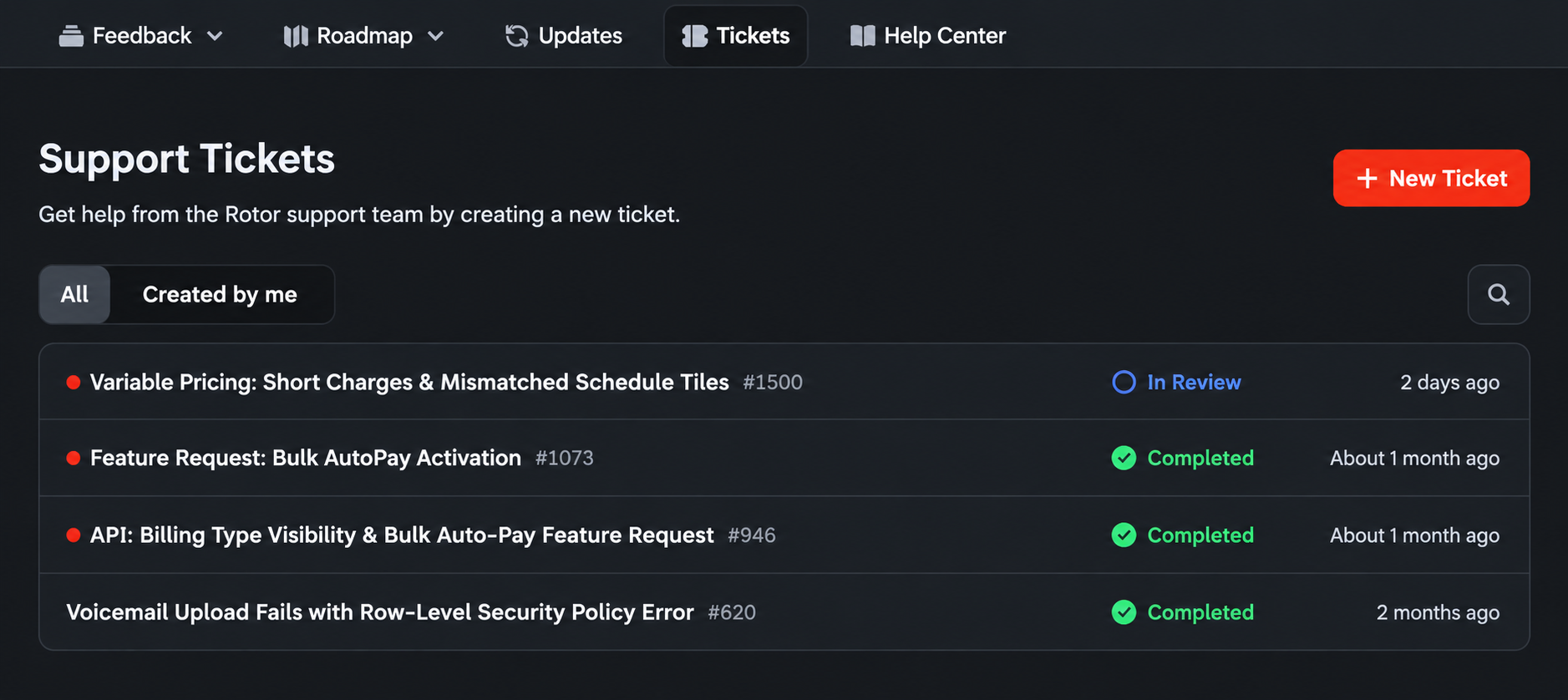
The ticket portal makes it easier to:
Submit a request directly without using the chat bot
See outstanding and resolved tickets in one place
Check the status of anything still open
Reference past tickets and what was completed
Phone Number Nicknames
If you manage more than one phone number, you can now give each one a friendly nickname so your team can tell them apart at a glance. Nicknames show up in the Inbox alongside the number.
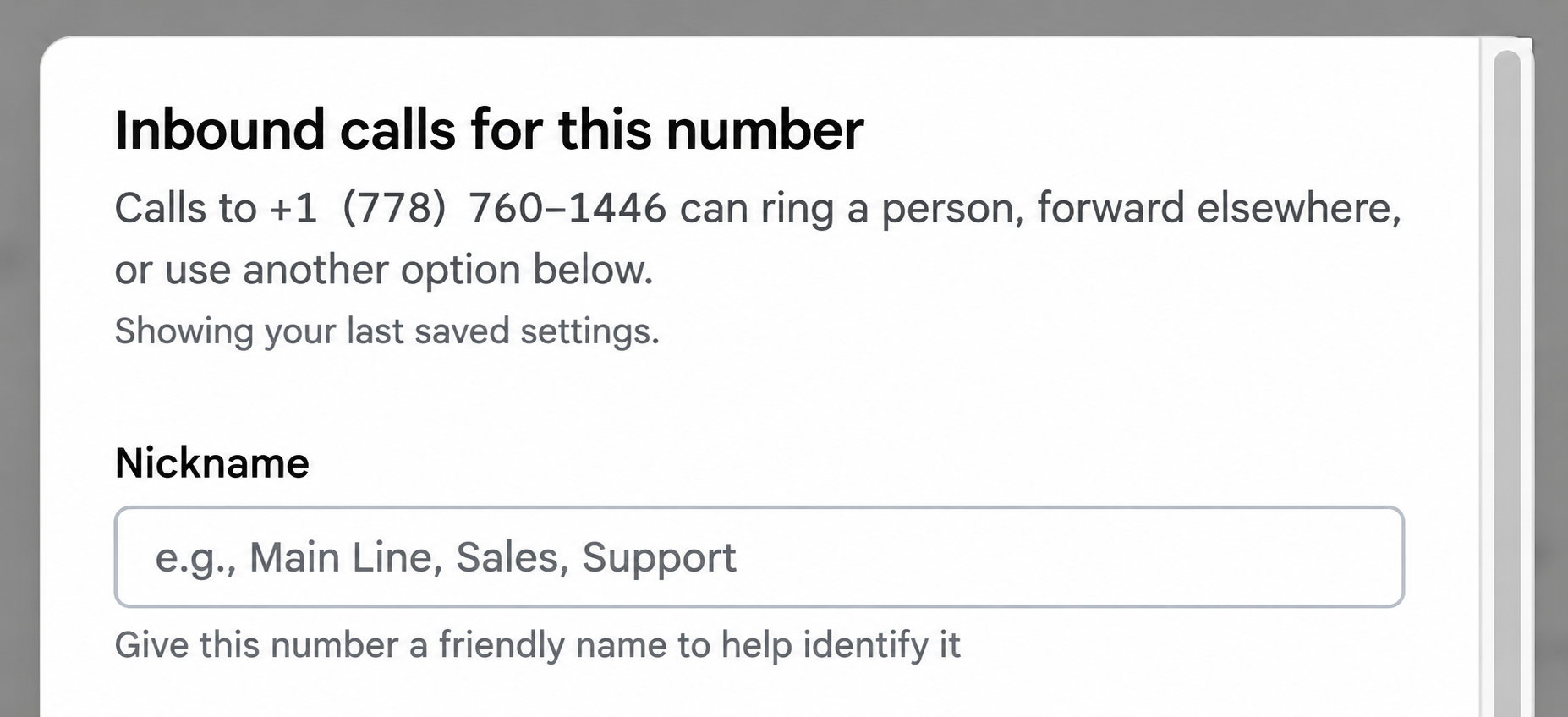
Nicknames help you:
Label numbers by purpose, such as Main Line, Sales or Support
Identify which number a call or message came in on
Manage multiple numbers without memorizing them
To set one: go to Settings → Engagement, select the number, and enter a Nickname.
Checklist Photos on the Customer
Every photo your team adds to a job checklist now shows up on that customer’s record, so you have a running visual history of the work without digging through individual jobs.
Each photo shows:
Who added it
A button that takes you straight to the job it came from
This makes it easier to answer questions about past visits, verify work that was completed, and see how a property has changed over time.
We also fixed a bug relating to technicians still being able to complete a job when the job checklist was forced to be completed first.
Learn more about Job Checklists:
https://helpcenter.getrotor.com/en/articles/4845015-job-checklists
Custom Frequencies - LIVE ON WEB
You can now set a custom cadence on recurring work on web instead of picking from the preset list. Enter a number in the Every field and choose Day(s), Week(s) or Month(s) — for example, every 6 weeks.
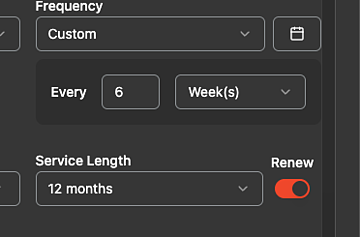
On daily cadences, click the calendar icon next to the frequency to open Customize schedule and choose which days of the week the plan runs. You can select up to 7 days. Day selection does not affect the first job — it applies to the recurring jobs that follow.
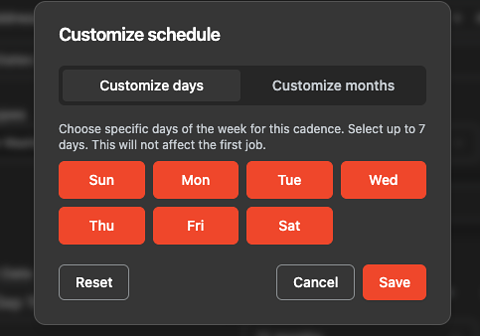
These changes will be live on mobile as well with the next App update.
Learn more about Service Plans:
https://helpcenter.getrotor.com/en/articles/3625554-service-plans
Remove from Pipeline
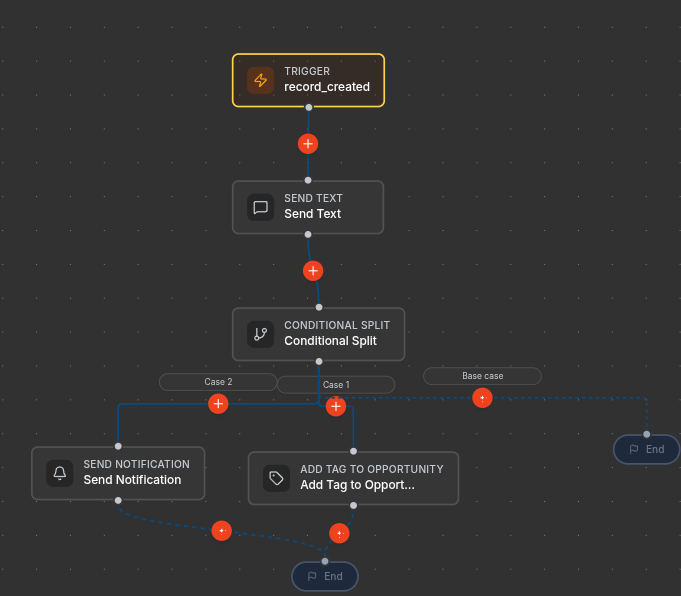
There is a new automation action: Remove from Pipeline. It archives the triggering opportunity and takes it out of its pipeline, with no configuration needed. It is only available when the workflow trigger is an opportunity.
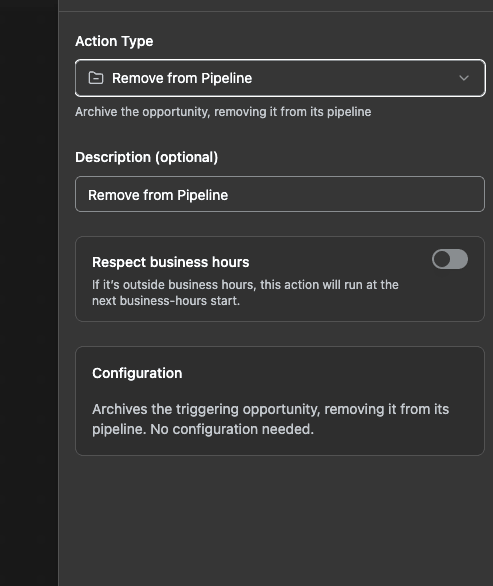
Learn more about Workflows & Automations:
https://helpcenter.getrotor.com/en/articles/9225600-workflows-and-automations
Payroll Updates
Four changes to how payroll calculates and displays pay.
1. Multi-tech jobs no longer split before commission. When more than one technician is on a job, the job amount is no longer divided between them before the commission rate is applied. Each technician earns their rate on the full job amount.
2. New rate modifier for shared jobs. There is now a Technician count condition on commission rate modifiers, so you can add or subtract percentage points based on how many techs share the job.
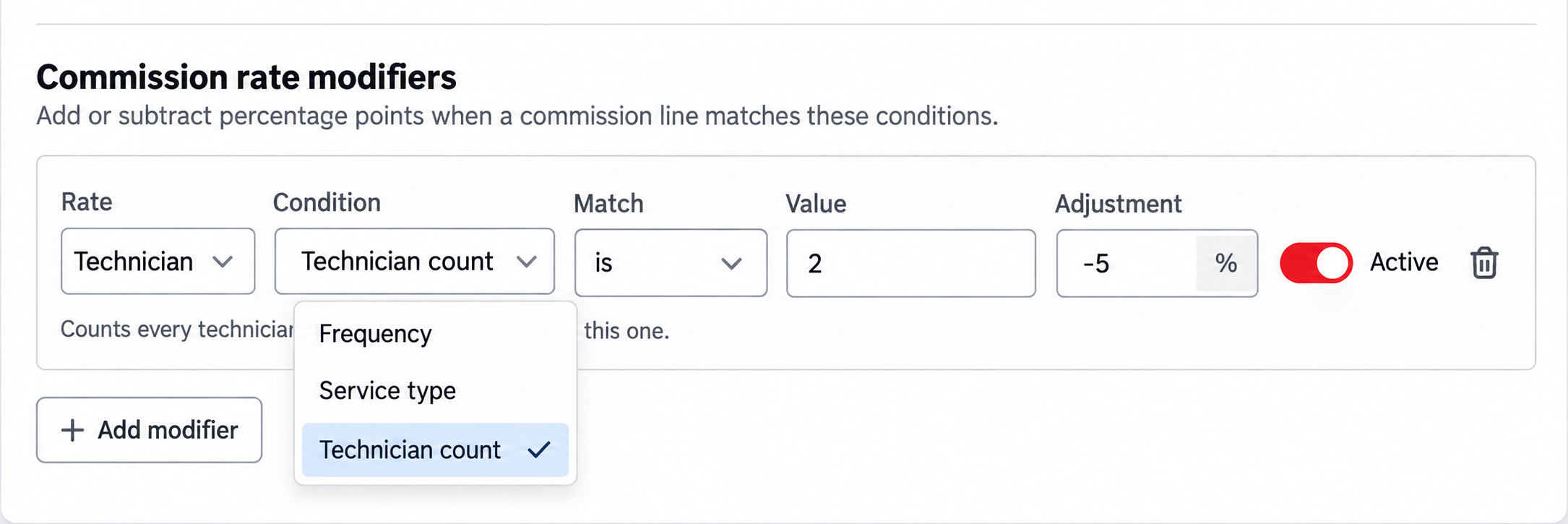
3. Tips are payable on payroll. Tips now appear as their own payable rows and can be paid out alongside commission.
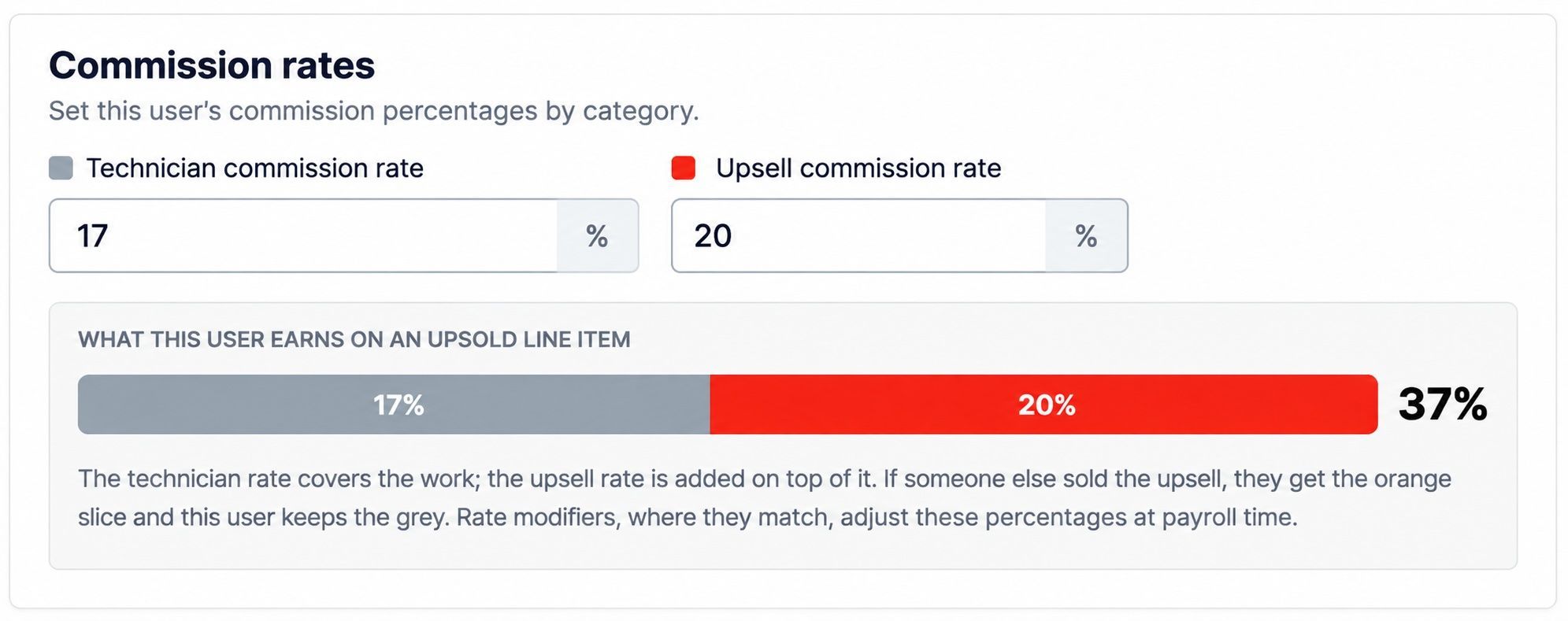
4. Upsell rate clarification on Rate Settings. Rate Settings now shows a breakdown of what a user earns on an upsold line item. The technician rate covers the work and the upsell rate is added on top of it. If someone else sold the upsell, that person earns the upsell portion and this user keeps the technician portion.
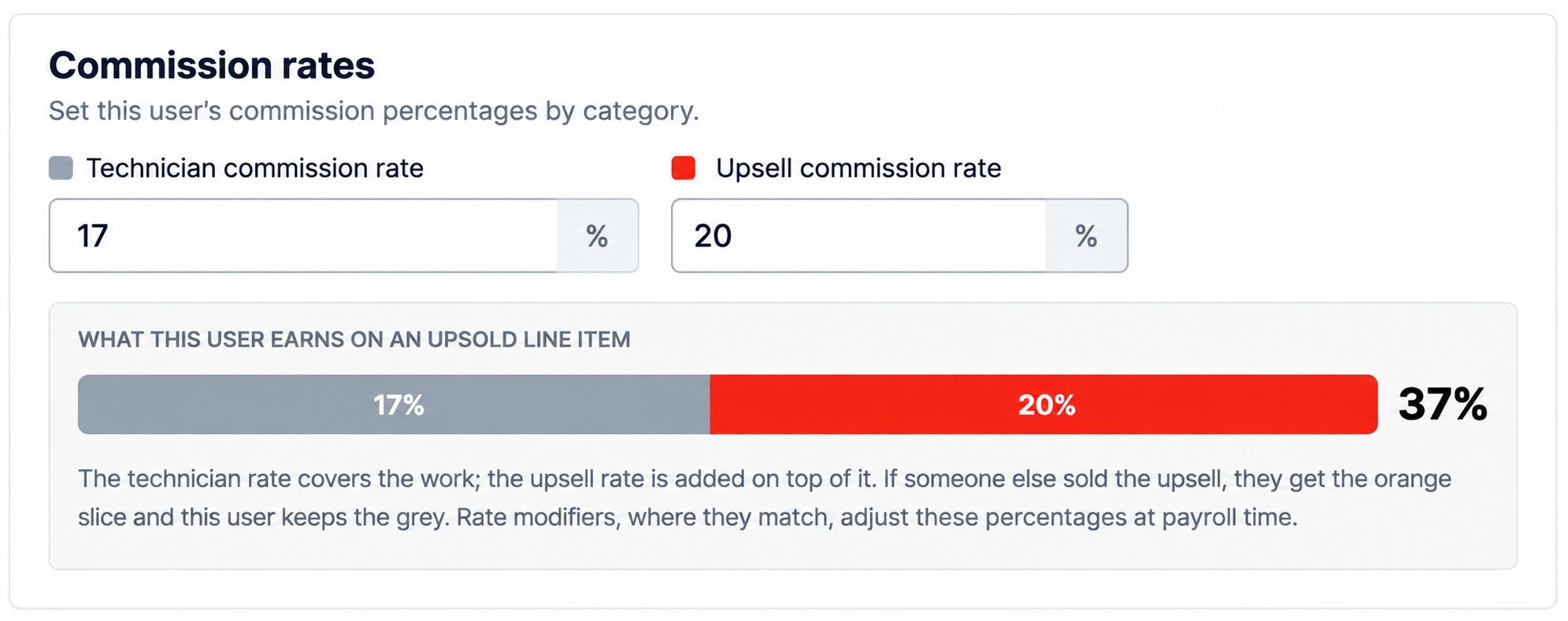
Learn more about Payroll:
https://helpcenter.getrotor.com/en/articles/4974486-payroll
Review the Latest Updates
Log in to Rotor and review these updates and articles with your team. Reach out to us directly via our in-app support with any questions and we are happy to coordinate.
Keep in touch!
If you’re curious about Rotor or would like to learn more, we’d love to meet you! We feel super blessed to work alongside such a great industry and love helping our companies succeed.
👉 BOOK TIME WITH US: https://calendly.com/carson-getrotor/rotor-demo
Follow the journey on Instagram @get_rotor
Have feedback on any of these? We want to hear it. Reach out through the Discord community, the in-app chat, or email us at support@getrotor.com.
- The Rotor Team