Schedule Send, Cancellation Analytics, Meta Upgrades, Variable Billing, & More
Here are the latest product updates plus a new partner for your marketing!
Schedule Send Messages - On Web and Mobile
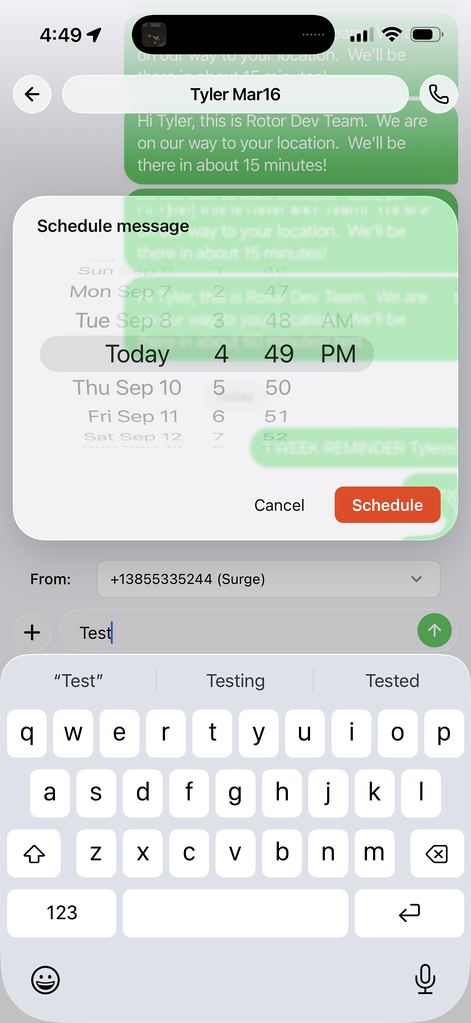
You can now send a message later instead of right now. Write your message, tap the + and choose Schedule Message, pick the date and time, and hit Schedule. Rotor sends it for you.
Handy for:
Queuing messages to be sent the next morning
Appointment and service reminders set a week out
Specific timed follow-ups
Message Templates - Mobile
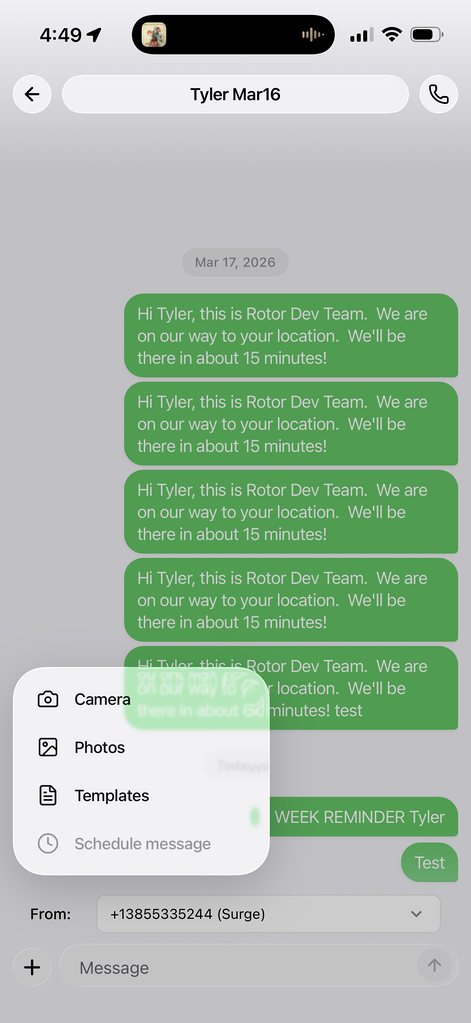
Your saved templates now come with you. Open any conversation in the Rotor mobile app, tap the “+” next to the message box, and choose Templates to drop in a saved message — no retyping, no switching to a laptop.
Service Plan Cancellation Metrics
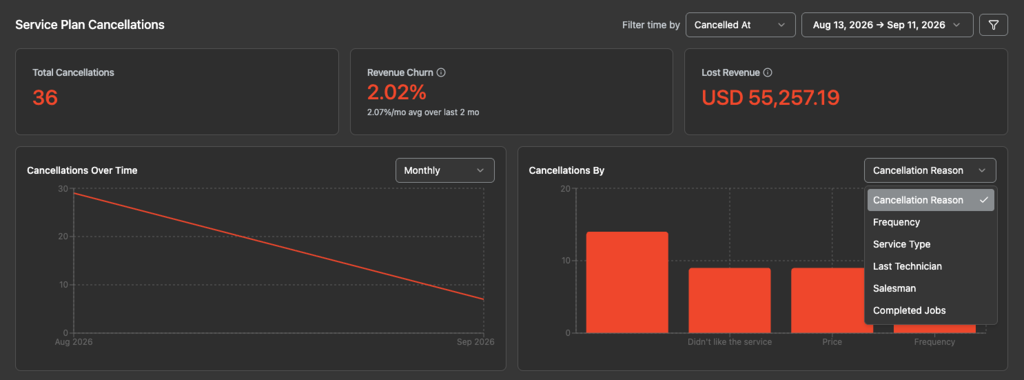
A new Service Plan Cancellations section in Analytics → Overview shows total cancellations, revenue churn and lost revenue at a glance, plus cancellations over time.
The Cancellations By widget is where it gets helpful — switch the breakdown between cancellation reason, frequency, service type, last technician, salesman and completed jobs to see the pattern behind your churn.
As a reminder, you can set Cancel Reasons under Settings → Customization on desktop.
Improved Meta Conversion & ROAS Tracking
We've tightened up how Rotor reports conversions back to Meta, so your ad results and return on ad spend are more accurate. Fewer missed conversions means Meta optimizes on better data — and you get a clearer picture of what your ad spend is actually returning.
Go to Analytics → Meta to now better track “Projected ROAS” and “Actual ROAS” according to whether leads convert into customers as well as how much as been sold and collected. Visit Settings → Integrations to set up how conversions should fire to Meta. You may need to disconnect and reconnect Meta to have this function properly.

Variable Cycle Billing
Service plans can now bill from the work itself instead of a price you type in. Rotor prices each charge from the plan's own visits and line items, so every visit gets paid for, in full, exactly once — and when you re-price a line item, the next charge picks it up on its own.
Turn it on in Settings → Service Plans, then set a plan's billing to Cycle and choose Variable.
New Partner: UZ Marketing
We've partnered with UZ Marketing, now a UZ Verified Partner for Rotor. They make custom print marketing built for home service crews:
Custom yard signs for job sites
Custom door hangers for canvassing
Custom door hangers for canvassing
Design templates and tools
Free nationwide shipping and fast turnaround
Leave a sign behind on every job and let the neighborhood do some of your selling.

Everything above is live now! On mobile, grab the latest version of the app to see templates and scheduling.
Keep in touch!
If you’re curious about Rotor or would like to learn more, we’d love to meet you! We feel super blessed to work alongside such a great industry and love helping our companies succeed.
👉 BOOK TIME WITH US: https://calendly.com/carson-getrotor/rotor-demo
Follow the journey on Instagram @get_rotor
Have feedback on any of these? We want to hear it. Reach out through the Discord community, the in-app chat, or email us at support@getrotor.com.